

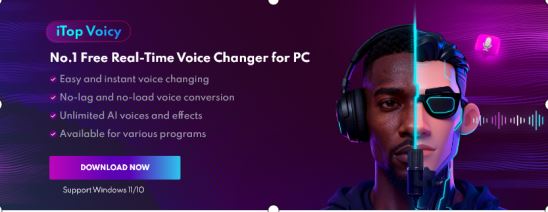
Over the past few years, I’ve tested quite a few voice changers for gaming, streaming, and online chats. Most of them either sounded too robotic, introduced annoying audio delays, or locked the best features behind expensive subscriptions. That’s why I decided to try iTop Voicy, an AI-powered voice changer that has become increasingly popular among gamers and content creators in 2026.
After spending time using it during multiplayer games, Discord calls, and casual streaming sessions, I was honestly surprised by how smooth and beginner-friendly the experience felt. In this review, I’ll share my real experience using iTop Voicy, including its features, performance, compatibility, and whether I think it’s worth downloading for Windows users.
iTop Voicy First Sight
From my experience, iTop Voicy is a lightweight AI voice changer designed for Windows 10 and Windows 11 users. Unlike older voice changers that only modify pitch, this software uses artificial intelligence to create more natural voice transformations in real time.
The tool comes with:
– 100+ AI voice models
– Real-time voice changing
– Soundboard effects
– Noise reduction tools
– Voice customization options
I found it especially useful for gaming, Discord conversations, livestreams, and creating entertaining online content. Because the software is free and easy to use, it quickly became one of the more accessible voice changers I’ve personally tested.
My Favorite Features in iTop Voicy
1. Real-Time AI Voice Transformation
The feature that impressed me most was the real-time AI voice changing. Instead of producing the typical robotic sound I’ve heard from older voice changers, iTop Voicy analyzes tone, pitch, and speech patterns to create smoother and more realistic voice effects. I tested several voice styles, including robot voice, anime-style voices, deep male voice, female voice, and celebrity-inspired voices. What I liked most was that the voice changed instantly during gameplay and voice chats without requiring a complicated setup.
If you are comparing Galaxy Z Fold7 vs Galaxy Z Flip7, the biggest difference comes down to screen size and usage style. The Fold7 delivers flagship-level multitasking and premium cameras, whereas the Flip7 offers a lighter, pocket-friendly design with a fun foldable experience.
2. Low Latency and Clear Audio Quality
The low latency was one of the biggest reasons I continued using it. One issue I often experience with voice changers is audio delay. Even small latency problems can ruin conversations during fast-paced multiplayer games. Fortunately, iTop Voicy handled this surprisingly well.
During my testing, the voice effects were processed almost instantly, and the audio quality remained clear and natural. This made it much easier to use during multiplayer gaming, live streaming on Discord, online meetings with my colleagues, and podcast recordings.
3. Huge Voice and Soundboard Library
Another feature I genuinely enjoyed was the built-in soundboard. The software includes more than 100 AI voice effects along with a large collection of meme sounds, reactions, and gaming-style sound effects.
I used the soundboard during Discord calls and gaming sessions to make conversations more entertaining. Some examples included meme sounds, funny reactions, gaming effects, and ambient sounds. For streamers and content creators, this adds a lot of personality and entertainment value.
4. Voice Customization Options
Beyond the preset voices, I also liked the ability to customize voice settings manually. I could adjust pitch, tone, and voice intensity.
This made it possible to create more unique voice effects instead of relying only on default presets. I think this feature is especially useful for creators who want recognizable character voices for videos or livestreams.
5. Built-In Noise Reduction Worked Better Than Expected
My gaming setup isn’t always quiet, so background noise can sometimes become a problem. Thankfully, iTop Voicy includes AI-powered noise reduction that automatically removes keyboard sounds, background noise, echo, and static interference. After enabling it, my microphone sounded noticeably cleaner during voice chats and streaming sessions.
Why I Think AI Voice Changers Are Becoming So Popular
After using older voice changers in the past, the difference with AI-powered tools feels huge. Traditional voice changers mainly relied on basic pitch shifting, which often created unnatural and distorted audio. Modern AI voice changers like iTop Voicy analyze speech patterns in real time, producing much smoother and more believable voice transformations.
For gaming and live-streaming, this matters a lot because people now expect instant voice processing, natural audio quality, minimal lag, and easy integration with apps and games. From my experience, AI voice changers have become far more practical and enjoyable than older voice-modification tools.
Is iTop Voicy Safe to Use?
Whenever I test software like this, safety is always one of my biggest concerns. After researching and using iTop Voicy myself, I found it to be relatively safe and legitimate when downloaded from the official website. Here’s what gave me confidence:
– Regular software updates
– Stable performance on Windows
– No major malware reports
– Official support and updates
Like with any software, I strongly recommend downloading it only from the official source to avoid modified third-party versions.
How I Set Up iTop Voicy
Getting started was actually much easier than I expected.
Step 1: Download and Install
I downloaded this voice changer for PC from the official website. The installation only took a few minutes.
Step 2: Configure the Microphone
After launching the program, I selected my microphone and headset as the input devices.
Step 3: Choose a Voice Effect
I browsed through the voice library and previewed different effects before selecting one.
Step 4: Customize the Voice
I adjusted pitch and tone slightly to make the effect sound more natural.
Step 5: Start Using It in Real Time
Once everything was configured, the software worked automatically in games, Discord, and streaming apps.
Compatibility With Games and Apps
One thing I appreciated was how well iTop Voicy integrated with popular games and communication platforms.
Games I Tested
I personally tested it with Valorant, Fortnite, PUBG: Battlegrounds, Call of Duty, and Among Us. The voice changer worked smoothly during multiplayer sessions.
Communication and Streaming Apps
It also integrated easily with Discord, Zoom, Microsoft Teams, Skype, and OBS Studio.
System Requirements
From my experience, the software runs well on most modern PCs. The basic requirements include:
– Windows 10 or Windows 11
– At least 4GB RAM
– A microphone or headset
– Stable internet connection
– Modern processor for AI voice processing
Final Thoughts
After using iTop Voicy for gaming, voice chats, and streaming, I can understand why it has become so popular in 2026. The combination of real-time AI voice changing in 100+ voice effects, auto-noise reduction, and low-latency processing makes it one of the most practical free voice changers I’ve personally tested for Windows. If you want a simple AI voice changer for gaming, livestreaming, Discord calls, or content creation, I think iTop Voicy is definitely worth trying.

